
eavyMetal
Thorgrim Ice-Bringer, Warder of the Iron Peak
by Painter • 17/08/2026
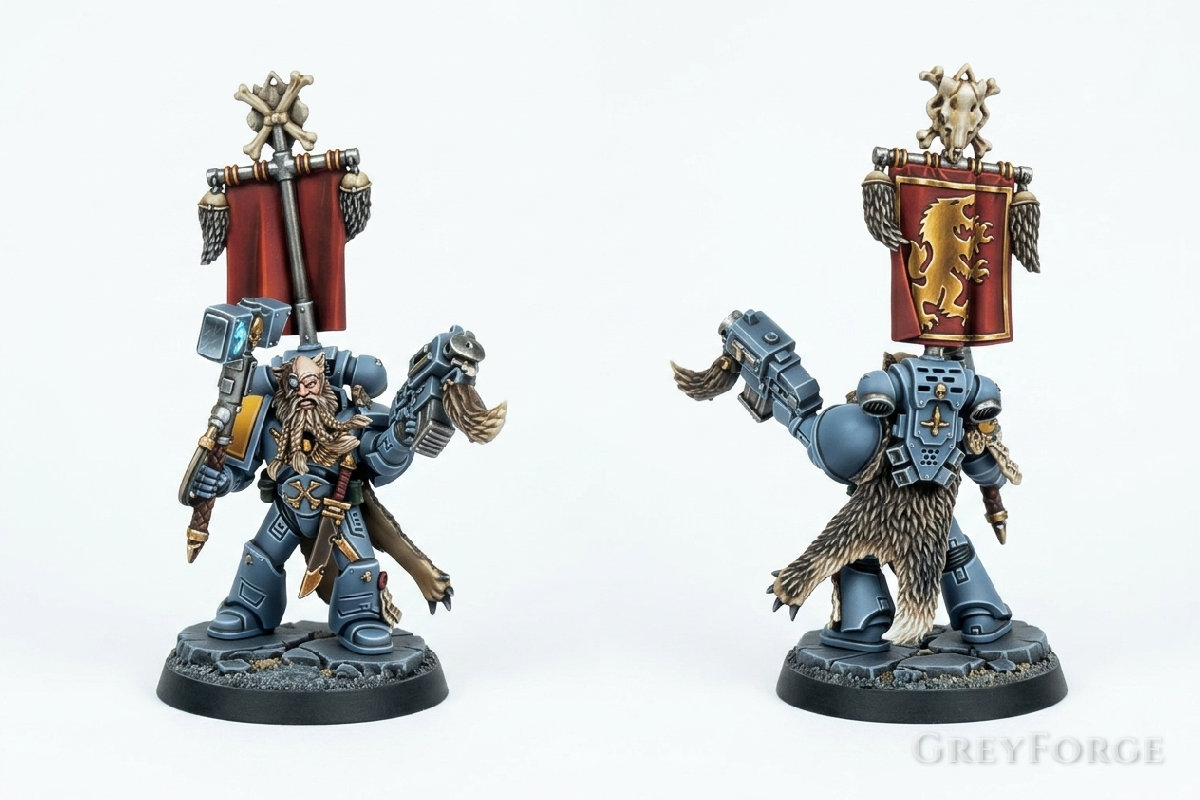
Click to enlarge
Paint Your Own Models
Want to try this color scheme? Download GreyForge to colorize your photos, get step-by-step guides, and improve your painting!
Master's Recipe
This guide focuses on achieving the iconic cool-blue armor and detailed fur textures of a Space Wolves commander, featuring a striking red banner and glowing frost effects.
Colors By Part
Power Armor
Russ Grey
Standard
Fenrisian Grey
Standard
Blue Horror
Standard
Wolf Pelt
Steel Legion Drab
Standard
Agrax Earthshade
Wash
Baneblade Brown
Standard
Red Banner
Mephiston Red
Standard
Nuln Oil
Wash
Evil Sunz Scarlet
Standard
Gold Details
Retributor Armour
Metallic
Reikland Fleshshade
Wash
Liberator Gold
Metallic
Frost Glow
Lothern Blue
Standard
White Scar
Standard
Painting Steps
Armor Base and Shading
- • Basecoat all armor plates with Russ Grey .
- • Apply a targeted wash of Agrax Earthshade only into the recesses for depth.
- • Clean up any messy areas using Russ Grey .
Layering the Armor
- • Apply Fenrisian Grey to the upper sections of the armor plates, leaving the darker base in the shadows.
- • Edge highlight all sharp corners and edges with Blue Horror .
Painting the Wolf Pelt
- • Basecoat the fur with Steel Legion Drab .
- • Wash the entire pelt with Agrax Earthshade .
- • Drybrush the fur texture with Baneblade Brown , moving from the center outwards to create a gradient effect.
The War Banner
- • Basecoat the banner cloth with Mephiston Red .
- • Wash with Nuln Oil to define the folds.
- • Highlight the raised surfaces with Evil Sunz Scarlet .
- • Paint the central icon with Retributor Armour and wash it with Reikland Fleshshade .
Weapon and Glow Effects
- • Paint the hammer head with Leadbelcher #848484 and wash with Nuln Oil .
- • Apply Lothern Blue inside the hammer runes.
- • Add a small dot of White Scar in the center of the runes to simulate a frost energy glow.
Share Gateway ID: 3f88ebc2